Why should CIOs lead our generative AI strategy now?
Generative AI has moved from experimentation to a core driver of business transformation, and CIOs are in the best position to connect the technology to real business outcomes.
Analysts expect rapid adoption: Gartner predicts that by 2026, more than 80% of enterprises will have used generative AI APIs or models and/or deployed generative AI–enabled applications in production, up from less than 5% in 2023. That shift makes AI a competitive differentiator rather than a side project.
When CIOs lead, AI can:
- **Increase productivity and decision quality** by embedding intelligence into everyday tools like email, chat, meetings, and documents.
- **Streamline workflows** through AI-powered assistants and intelligent agents that handle routine tasks and even manage complex processes.
- **Support measurable growth** by aligning AI investments with core KPIs such as revenue, cost reduction, and efficiency.
Microsoft’s research (31,000 workers across 31 countries plus Microsoft 365 usage signals and LinkedIn data) points to a new type of organization, the **Frontier Firm**—companies built around on-demand intelligence and hybrid teams of humans and AI agents. Among employees at these firms:
- **71% say their company is thriving.**
- **55% say they can take on more work.**
- **90% (vs. 73% survey-wide) report opportunities to do meaningful work.**
- **93% (vs. 73% globally) are more optimistic about future work opportunities.**
- They are **less likely to fear AI will take their jobs** (21% vs. 38%).
CIOs who step into a proactive, strategic role—defining the AI vision, building the business case, and putting governance in place—help their organizations move toward this Frontier Firm model over the next 2–5 years, rather than playing catch-up later.
How do we make our organization AI-ready with Microsoft 365 Copilot?
Becoming AI-ready is less about rebuilding your entire data estate and more about optimizing what you already have—especially in Microsoft 365. A focused readiness plan typically covers people, data, and governance.
**1. Prepare people and business functions**
- **Align leaders on the AI strategy.** Anchor C‑suite and functional leaders (HR, finance, marketing, sales, operations, legal, customer service) in a clear vision of how AI supports their goals.
- **Define business-first use cases.** Start with real problems—e.g., AI-enabled forecasting in finance, personalized marketing, or agents that complete specific business processes.
- **Set AI usage goals.** Establish benchmarks for adoption and impact so you can track value.
- **Enable all employees.** Provide an accessible entry point such as Copilot Chat (enterprise-grade, secure AI chat) and then layer in richer assistants grounded in work data across Teams, Outlook, Word, and other apps.
- **Address concerns early.** Talk openly about job impact, ethics, compliance, hallucinations, and cost so employees understand both the benefits and the guardrails.
**2. Get your Microsoft 365 data in shape**
Gartner notes that only **35% of organizations effectively demonstrate measurable AI value**, often due to fragmented data strategies. Copilot performs best when content is current, well-permissioned, and governed.
Key actions:
- **Review user readiness.** Identify active users of Word, Excel, PowerPoint, Outlook, and Teams and ensure they’re on supported versions.
- **Clean up content.** Archive inactive or abandoned SharePoint sites so Copilot draws from relevant, up-to-date information.
- **Tighten access.** Audit sharing settings to reduce oversharing and limit access to those who genuinely need it.
- **Protect sensitive data.** Use labels and policies to classify financial, legal, and other confidential content and control who can view or edit it.
- **Establish clear ownership.** Assign site owners for every SharePoint location and run regular access reviews.
- **Monitor changes.** Track who changed what, when, and why—especially around permissions—to catch issues before they affect AI results.
You can also use the **Microsoft 365 Copilot Optimization Assessment** (a 30‑minute self-assessment) to:
- Identify blockers related to licensing, usage, and oversharing.
- Assess collaboration patterns, security posture, and content lifecycle.
- Get a tailored deployment path based on your current setup.
Once your environment is cleaned up and aligned, you’re in a strong position to scale Copilot and other AI capabilities with confidence.
How do we handle security, governance, and risk with generative AI?
Generative AI introduces new and amplified risks—data exposure, compliance gaps, and new attack surfaces—so security and governance need to be built in from the start, not added later.
**1. Involve security, compliance, and legal from day one**
CIOs should give these teams a permanent seat at the AI table. Together, you can:
- Define policies for acceptable AI use.
- Align AI projects with regulatory and internal compliance requirements.
- Integrate security reviews into every stage of AI deployment, from pilots to organization-wide rollout.
**2. Leverage built-in protections in Microsoft 365 Copilot**
Microsoft positions Copilot with several foundational assurances:
- **Data is secured at rest and in transit.**
- **Your data is not used to train or enrich foundational models.**
- **You control what data goes into the cloud.**
- **You are protected against AI security and copyright risks.**
Copilot, together with **Microsoft Purview**, provides integrated controls for data protection, compliance, and insider risk management.
**3. Address oversharing and access governance**
Generative AI is powerful at surfacing patterns across data, which makes weak access controls more visible and risky.
Key actions:
- **Restricted content discovery.** Flag sensitive sites so they don’t appear in organization-wide search.
- **Access management policies.** Enforce least-privilege access so employees only see what they need to do their jobs.
- **Site classification.** Mark sites as private where appropriate and restrict access to approved members.
- **Encryption and sensitivity labels.** Apply encryption and labels so access is enforced based on user permissions.
**4. Protect against data loss and insider risks**
Risks like data leakage or misuse can exist with or without AI, but AI can make it easier to move or surface information.
Recommended controls:
- **Sensitive data monitoring.** Detect and report on sensitive files referenced in AI interactions.
- **Prompt injection protection.** Monitor and report on attempted prompt attacks that try to manipulate AI behavior.
- **AI-usage auditing.** Log user prompts, responses, and accessed files to maintain visibility and support investigations.
- **Sensitivity label enforcement.** Ensure AI-generated content inherits labels and protections from the underlying data.
By combining strong access governance, continuous monitoring, and the built-in protections of Copilot and Microsoft Purview, CIOs can create a secure, compliant foundation that allows the organization to adopt generative AI at scale without losing control of its data.



 Sign in with LinkedIn
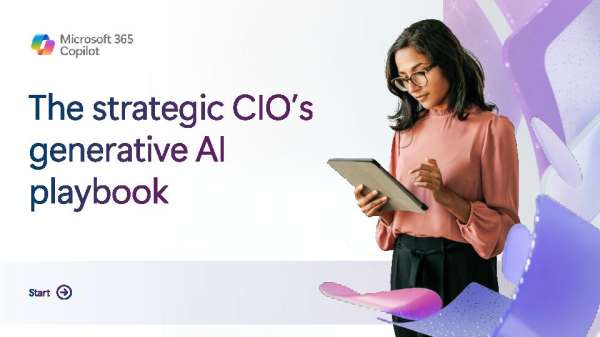 This eBook outlines four steps CIOs can take to guide adoption, from leading change and enabling employees to building skills and addressing risks early. It shows how to create a more confident and trusted approach to AI. For practical guidance on accelerating AI adoption, download the eBook by filling out the form.